Snippets
Your reusable content, always ready when you need it.
Save frequently used text, responses, templates and workflows. Expand them instantly wherever you work.
One home for your
Snippets, Prompts and Brains.
Save your knowledge, instructions and workflows once. Organize them in Fibonax. Bring the right context to every AI, without starting over.
No lock-in. Just your context, ready to use.
 Fibonax
Your voice. Your project. Your best instructions.
Ready for the next conversation.
Choose an AI. Your context stays with you.
Together, they create a single context system designed around the way you actually work.
Your reusable content, always ready when you need it.
Save frequently used text, responses, templates and workflows. Expand them instantly wherever you work.
Your best instructions, structured and ready to execute.
Build, organize and reuse prompts without recreating them every time you switch between tasks or AI tools.
Your persistent context.
Keep the knowledge, decisions, preferences and information that help AI understand what you are working on.
Fibonax is designed to sit above the individual AI tools, helping you keep your own context organized and portable.
Choose the AI you want. Keep the context you need.
And the next AI that comes along.
Fibonax isn't just a place to store things.
It is designed to help transform knowledge into action:
The goal is simple:
This execution-first philosophy is at the core of Fibonax.
Whether someone is building a business, writing, coding, managing a team, creating content or developing AI workflows, Fibonax gives them a centralized place for the context behind their work.
Your knowledge. Your prompts. Your workflows. Your AI.One system.
Start with what you already know.
snippets & prompts expanded
Act as my strategy partner. Turn these notes into a clear brief: objective, audience, deliverables, and next steps.
The right context. Without the repetition.
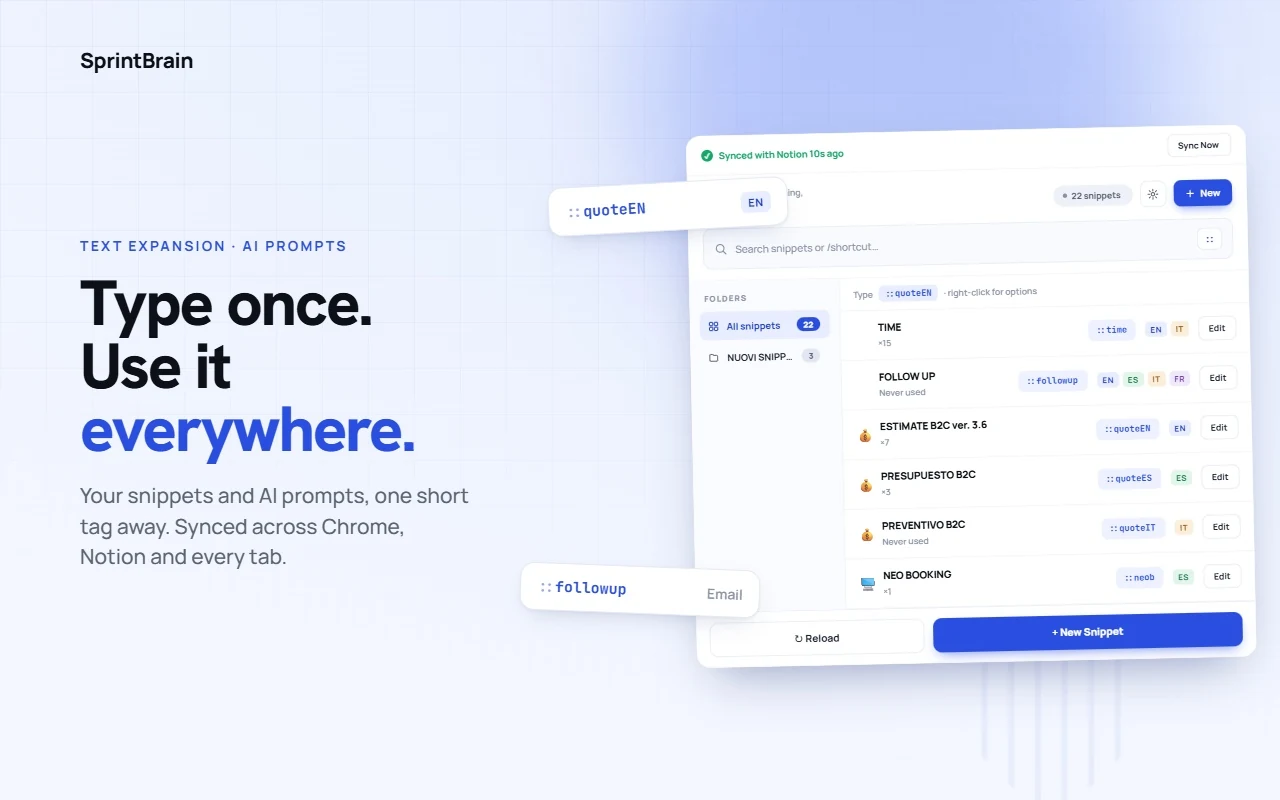
A drop-in replacement for TextBlaze, TextExpander and Magical, with live formulas and a reusable prompt library on top.
::quote expands into a 200-word multilingual quote.
Works in Gmail, Notion, Slack, your CRM. Anywhere you can type, or from
the right-click menu when you'd rather pick than type.
Totals, discounts, fees, net prices: calculated the instant a template expands.
Conditionals, date tokens, and greetings that agree with the guest's name.
CSP-safe parser, no eval.
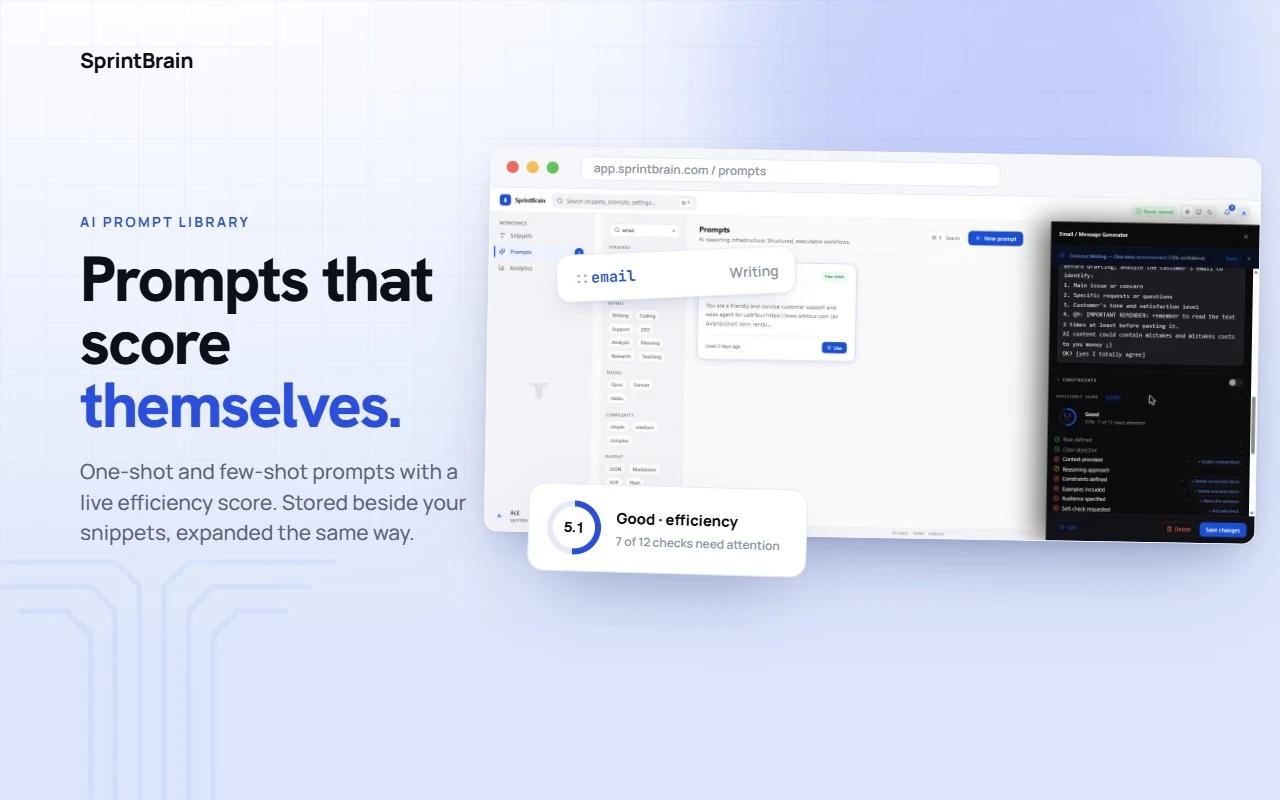
One-shot and few-shot prompts for ChatGPT, Claude, and any model, stored
next to your templates. Type """ to browse them, or give a prompt its own
shortcut and expand it straight into the box.
Backed by Supabase, encrypted at rest. Write once in the dashboard; the extension and your phone read the same library, refreshed in the background and again every time you open them.
Keep facts, decisions and notes in a Brain. Add the right ones to the message you're writing in an AI chat, and save a page selection with a right-click.
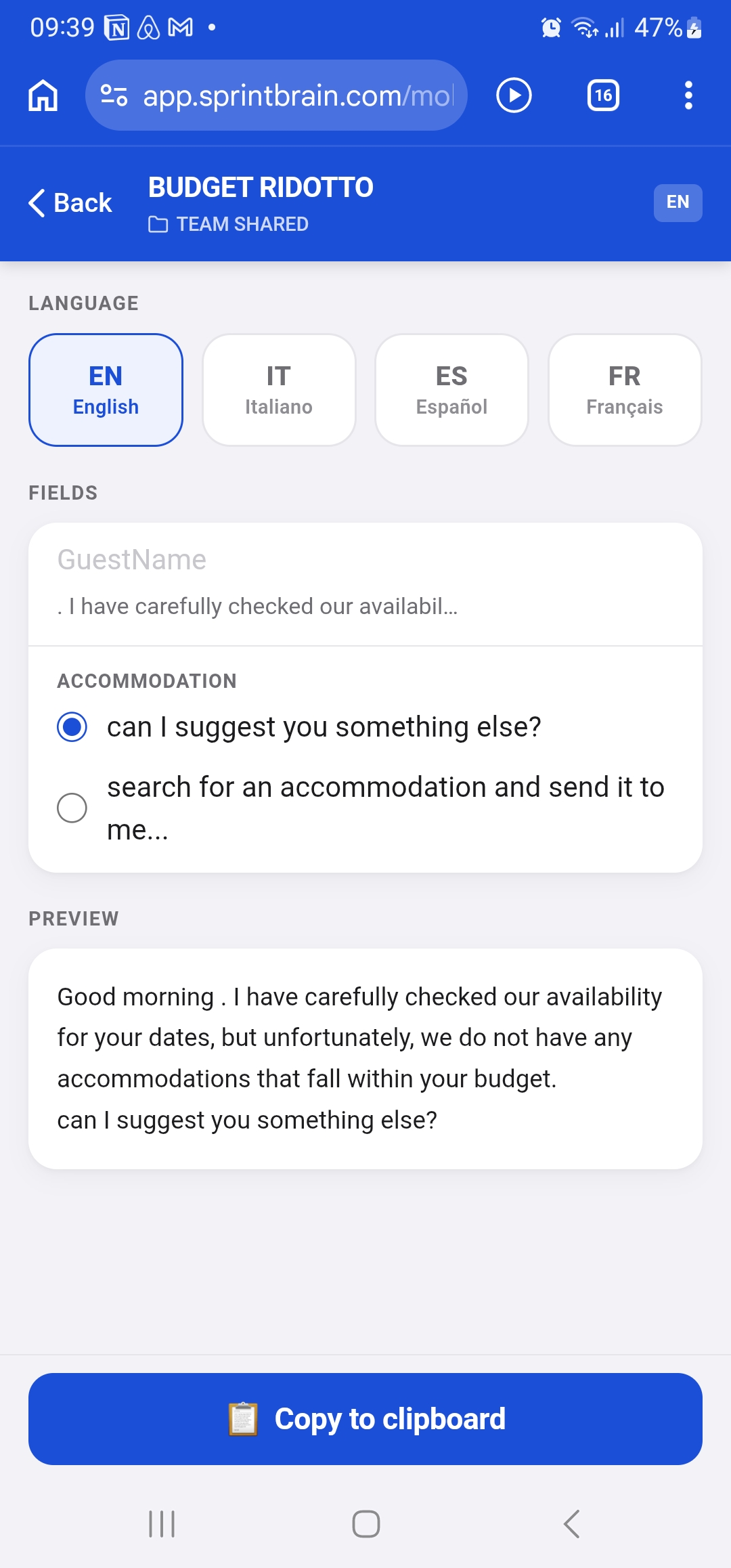
Browse, search, and copy from iOS and Android in the browser. No laptop, no download. Pin what you use daily, fill a snippet's fields, copy the finished text, and add notes to your Brains on the go.
Every expansion is counted. Top triggers, usage over time, and a contribution heatmap show which snippets earn their place, and which ones nobody has touched in weeks.
See every signed-in device, review recent login activity, and sign out everywhere in one click. Each surface holds its own session, so revoking one doesn't lock you out of the rest.
Share a folder with the whole team or specific teammates, at View, Edit, or Owner access. Every snippet, formula, and prompt inside it shows up in their dashboard and extension the moment you share. Each one carries who wrote it and who touched it last, and the whole workspace wears your company logo and cover.
Fibonax ships as a Chrome extension, a web dashboard and a mobile website. Sign in once. Your tools are everywhere, instantly.
One-click install from the Chrome Web Store. The popup puts every snippet at your fingertips while you type, in Gmail, Slack, Notion, your CRM, anywhere.
Manage your full library from any browser. Create folders, write snippets with live formulas, share folders with your team and review analytics. Nothing to install.
Browse, search, and copy snippets, prompts and Brains on iOS or Android, straight from Safari or Chrome. No download, no app store. Just open a URL and you're in.
Fibonax scales with your team without loosening what protects your data. Access is enforced by the database itself, not just the interface, whether you're a "team" of one or an org of hundreds.
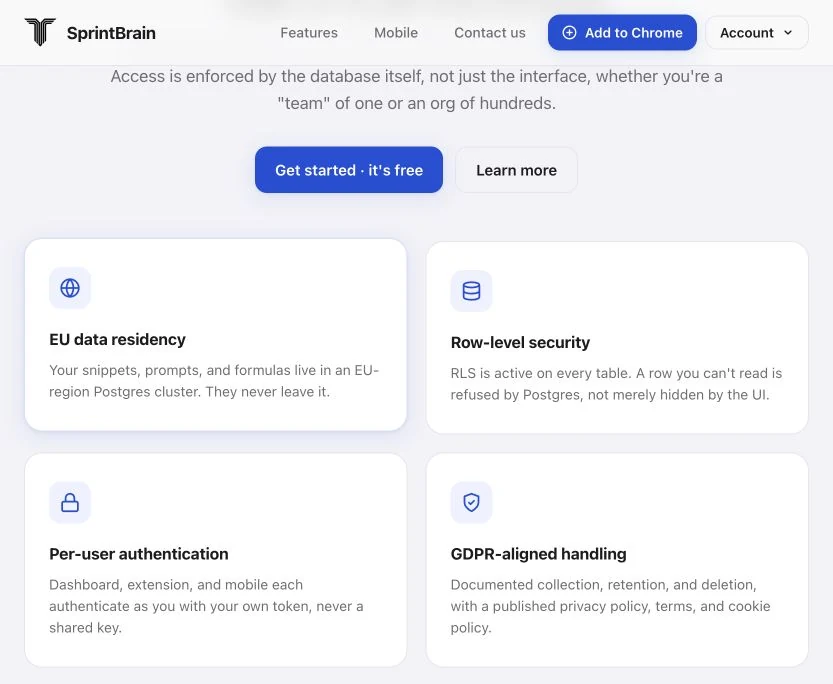
Your snippets, prompts, and formulas live in an EU-region Postgres cluster. They never leave it.
RLS is active on every table. A row you can't read is refused by Postgres, not merely hidden by the UI.
Dashboard, extension, and mobile each authenticate as you with your own token, never a shared key.
Documented collection, retention, and deletion, with a published privacy policy, terms, and cookie policy.
Real hospitality operators delivering faster guest communications and sharper pricing, without switching tools.

Ibiza's destination management company, handling vacation rentals and hospitality services since 2005. Guest communications go out in three languages, every day, without switching apps: pricing quotes, check-in details, follow-ups.

A professional B2B travel network giving agents access to exclusive, wholesale hotel rates unavailable on public OTAs. Fibonax handles the high volume of quote requests and booking confirmations, consistently branded, every time.
The short version of what people ask before they start.
One place for your Snippets, Prompts and Brains. Snippets are reusable text you insert by typing a short trigger. Prompts are your best AI instructions, saved and ready to reuse. Brains hold what an AI should know about your work. You use all three from the Chrome extension, the dashboard and your phone, and they always show the same library.
No. You write a snippet once, give it a short trigger and type that trigger wherever you need the text. Fields, dates and calculations are added from menus, not code. If you can fill in a form, you can use Fibonax.
In Google Chrome on a computer, in any text field on any website: email, chat, documents and AI tools, with no setup per site. Browsers that install extensions from the Chrome Web Store work too. On the few pages Chrome keeps extensions out of, the right-click menu or a copy from the popup gets the same text in. On your phone, open app.fibonax.com/mobile in the browser, fill in a snippet and paste it into any app.
Any assistant you type into. Prompts and Brains go into ChatGPT, Claude, Gemini and the others, and the same context follows you when you switch. Fibonax is not tied to one AI.
Yes. On the Snippets page, Import reads a Text Blaze export, a Fibonax export or a plain list of snippets. Text Blaze fields and conditions keep working as they are. You can export everything to a file at any time, so nothing is locked in.
Yes. Share a folder with your whole team or with chosen teammates, and everything inside it appears in their extension and dashboard straight away. You decide who can use, edit or manage each folder.
Anyone who signs up by December 31, 2026 keeps Fibonax free for life. From January 1, 2027, new accounts start with a free usage allowance and then pay only for what they use. There is no monthly or yearly subscription. See the pricing page.
Your account and everything in it are stored in the European Union, in Ireland, encrypted at rest and in transit. Fibonax does not read the pages you browse and never sells your data. A Brain reaches an AI only when you choose to add it to a chat. The privacy policy has the details.
Still have a question? Write to us or read the user guide.
Advanced prompt engineering, with lifetime free access. All existing users and anyone who signs up or downloads Fibonax by December 31, 2026 will keep the app free for life.
Create your free lifetime account →Claim lifetime free access within
Italian time · Europe/Rome (CET)
Your lifetime free access stays free. Only new users joining from January 1, 2027 will have a free usage allowance followed by pay-per-use pricing beyond the defined limit.
Thresholds and rates will be announced before activation.